Hot and cold wallets are used to store your cryptocurrencies, specifically your private keys which grant you access to your crypto assets. They are therefore a crucial element of the cryptocurrency space.
The major difference between hot and cold wallets is that hot wallets are connected to the internet whilst cold wallets are not.
For those holding cryptocurrencies, the choice between cold and hot wallets depends on factors such as the amount of coins you hold, the frequency in which you trade etc.
Hot wallets are connected to the internet and are generally more popular.
Examples of Hot Wallets
Wallet Name
Supported Coins
Platforms
Key Features
Best For
Best Wallet
1,000+
Mobile
Non-custodial, multi-chain, portfolio tools
Overall
Zengo
120+
Mobile
MPC security, beginner-friendly
New crypto users
Binance Wallet
460+
Mobile
CEX integration, fast trading
Exchange users
Bybit Wallet
750+
Mobile, Browser
Secure Web3 access, staking
Web3 and DeFi users
OKX Wallet
330+
Mobile, Browser
dApp support, multi-chain
dApp explorers
SafePal
1,000+
Mobile, Browser
Hardware wallet integration
Hybrid users
CoolWallet
200+
Mobile
Scam protection, Bluetooth hardware option
Security-focused users
CoinSpot Wallet
300+
Mobile, Web App
Australian market focus
Regional users (Australia)
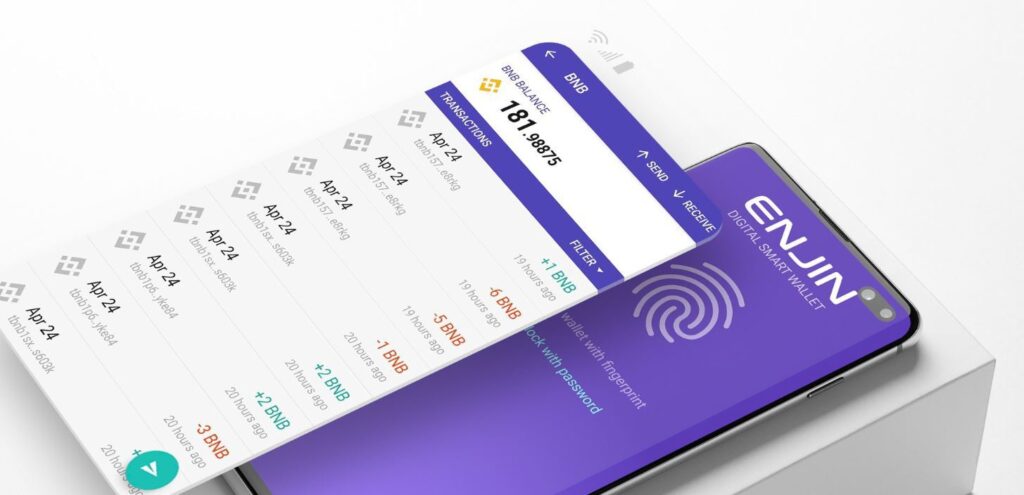
Hot wallet: Enjin mobile wallet
Pros
Instant Access: Always online, making it ideal for frequent trading, staking, and spending.
Free & User-Friendly: Most hot wallets are free and offer intuitive interfaces for beginners.
Mobile Integration: Seamless compatibility with smartphones, wearables, and browser extensions.
DeFi & NFT Ready: Direct access to decentralized apps and NFT marketplaces without needing external tools.
Cloud Sync & Recovery: Many wallets now support encrypted cloud backups and multi-device sync for easier recovery.
Cons
Still Vulnerable to Hacks: Despite improved encryption and two-factor authentication, hot wallets remain exposed to phishing, malware, and SIM-swap attacks.
Custodial Risk: If you store assets on exchange-linked wallets, you’re still at risk from platform failures or regulatory shutdowns.
Privacy Trade-offs: Many mobile wallets now require KYC or link to identity data, reducing anonymity.
Device Dependency: Losing access to your phone or computer can lock you out, especially if recovery options aren’t properly set up.
Limited Offline Protection: Unlike cold wallets, hot wallets are always online, making them unsuitable for long-term, high-value storage.
Cold Wallets
Cold wallets are also known as hardware wallets. They are physical offline storage devices that you plug into your computer to use.
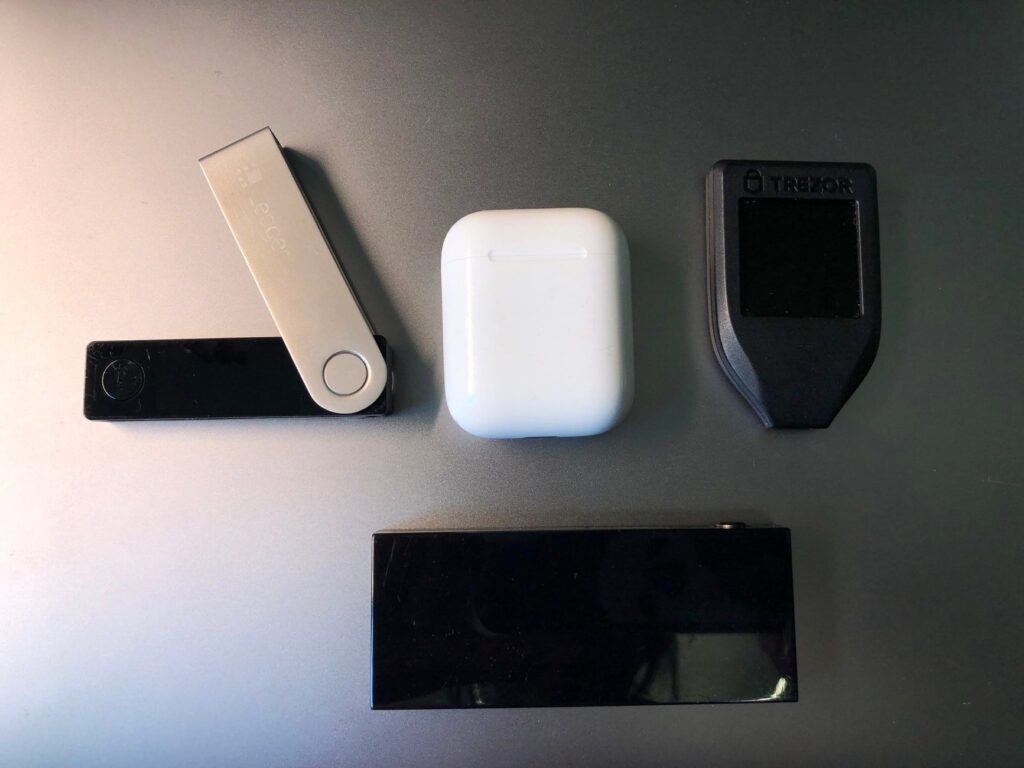
Cold wallets: Clockwise from left, the Ledger Nano X, Trezor Model T and KeepKey
Top-tier Security: Offline storage plus biometric authentication keeps assets safe from online threats.
Broad Asset Support: Compatible with thousands of coins and NFTs across major blockchains.
Advanced Backup Options: Features like Shamir Backup and encrypted microSD recovery reduce risk of loss.
DeFi Access: Secure bridges and apps allow staking and trading without exposing private keys.
Tamper-Proof & Transparent: Open-source firmware and tamper-evident hardware ensure trust and auditability.
Cons
Cost Still a Barrier: Prices range from $79 to $199 depending on features like biometric security and multi-chain support.
Less Convenient for Active Trading: Transferring assets to exchanges for trading still adds friction, though some wallets now offer direct DeFi access.
Setup and Maintenance: Initial setup takes time, and firmware updates require manual steps to maintain security.
Physical Risk: Devices can be lost, stolen, or damaged—though encrypted backups and recovery protocols have improved.
Limited Mobile Experience: Despite Bluetooth and mobile apps, cold wallets remain less seamless than hot wallets for on-the-go use.
Conclusion
While cold wallets still require more effort to set up and use, they remain the gold standard for long-term crypto security. With biometric authentication, encrypted backups, and broader asset support, they’ve become more user-friendly without compromising safety.
Hot wallets, on the other hand, continue to dominate for everyday use. Their integration with DeFi platforms, NFT marketplaces, and mobile devices makes them ideal for active traders and casual users. However, risks from hacks and custodial failures persist—even in 2025.
Best practice: Keep small amounts in hot wallets for daily transactions and trading. Store the bulk of your holdings in cold wallets, and transfer profits promptly to secure offline storage. This hybrid approach balances convenience with protection.
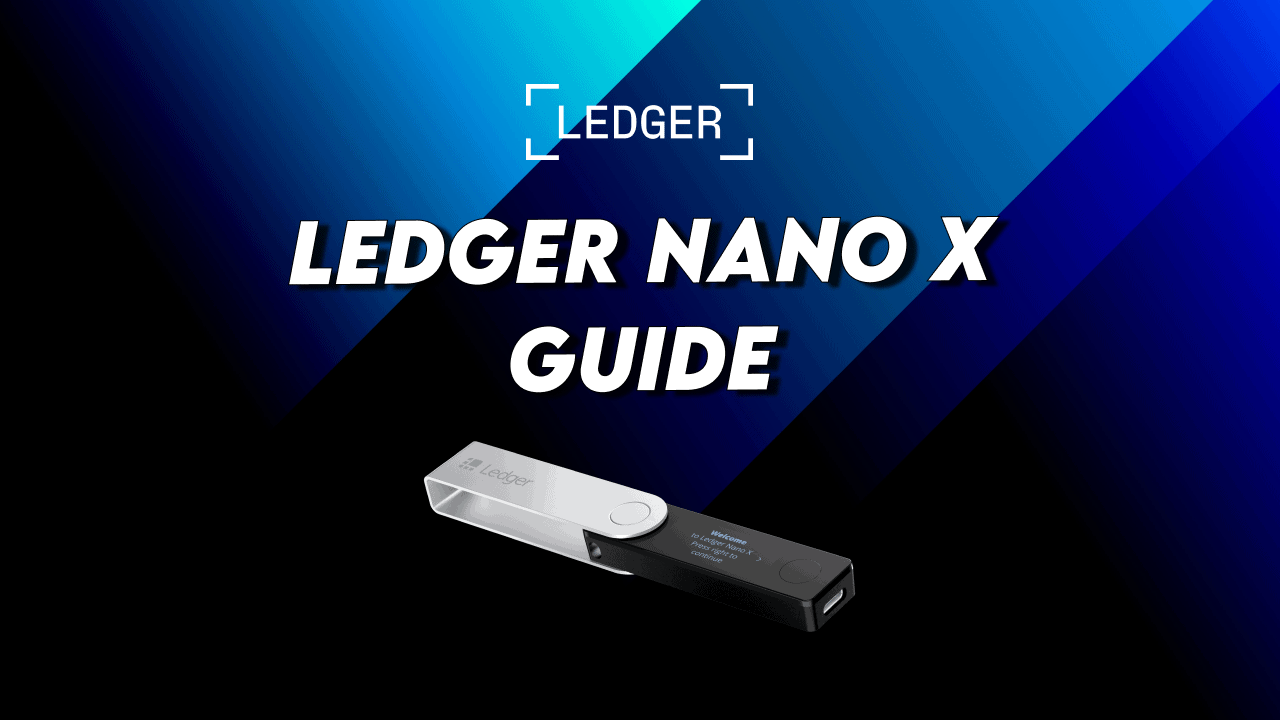
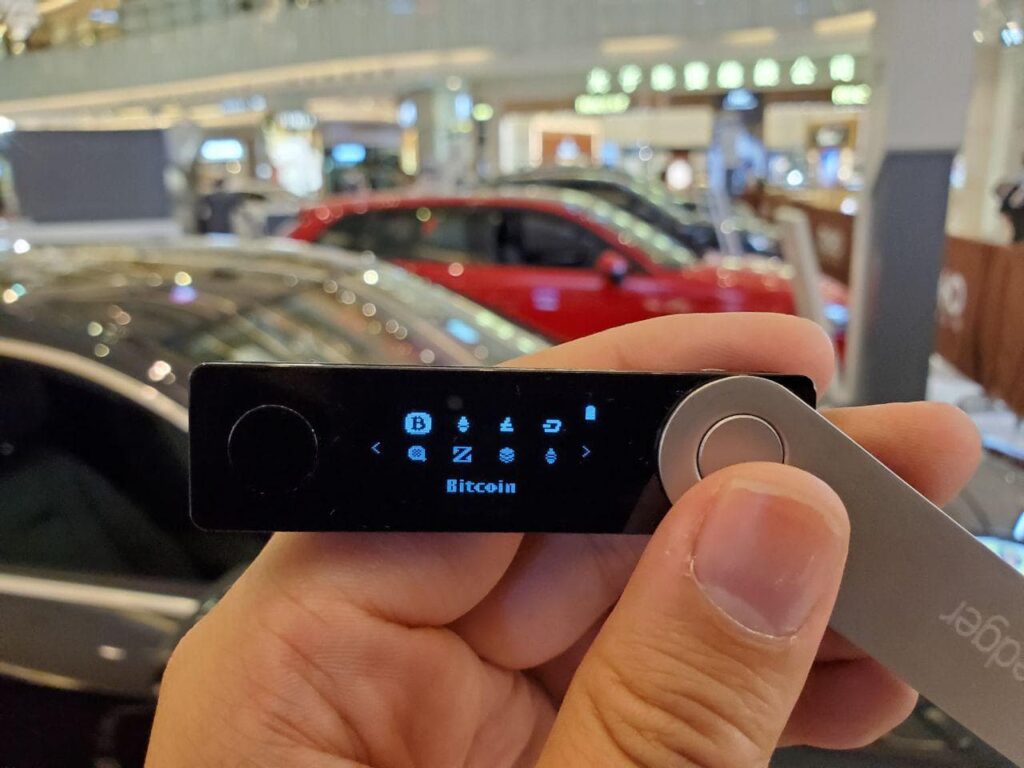
Ledger released a new hardware wallet – the Ledger Nano X. This new device protects your cryptocurrencies with military-grade protection and prevents digital theft and hackers. These are the key new features of the Ledger Nano X:
Large HD screen – Displays address of receiver in full without scrolling
More storage space – Install up to 100 different apps for different coins.
Rechargable Battery – allows the device to be powered-on without a cable.
Ledger Recover – A new (albeit controversial) seed phrase recovery subscription service. Learn more here.
Click below to buy!
This guide will help you setup your Ledger Nano X and teach you the important features. In addition, we the most important question: Is Bluetooth Safe?
Cryptocurrency can be spent on the go with Ledger Nano X
Ledger Live Mobile remains the go-to companion app for managing crypto securely on the move. Available for iOS and Android, it pairs seamlessly with Ledger Nano X, Ledger Stax, and Nano S Plus (via OTG cable for Android).
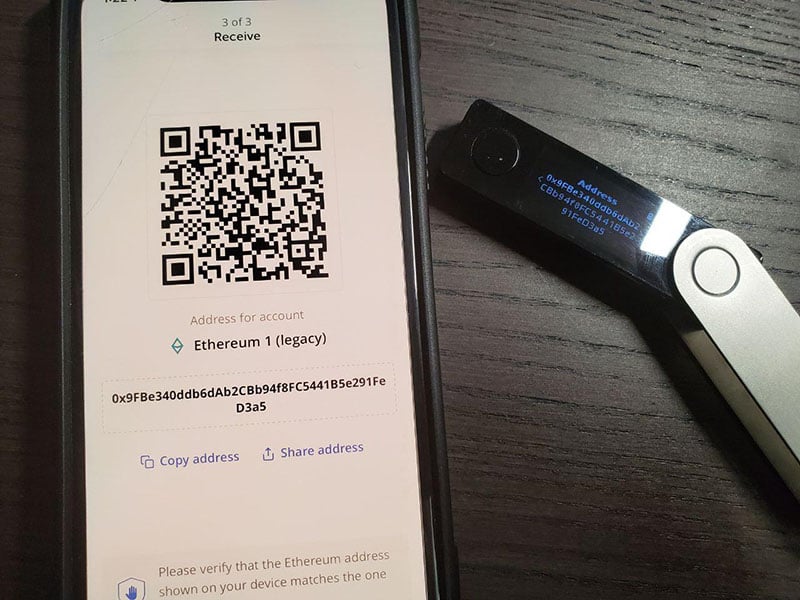
Ledger Mobile app showing the Ethereum address with verification from Ledger Nano X
Mobile Connectivity
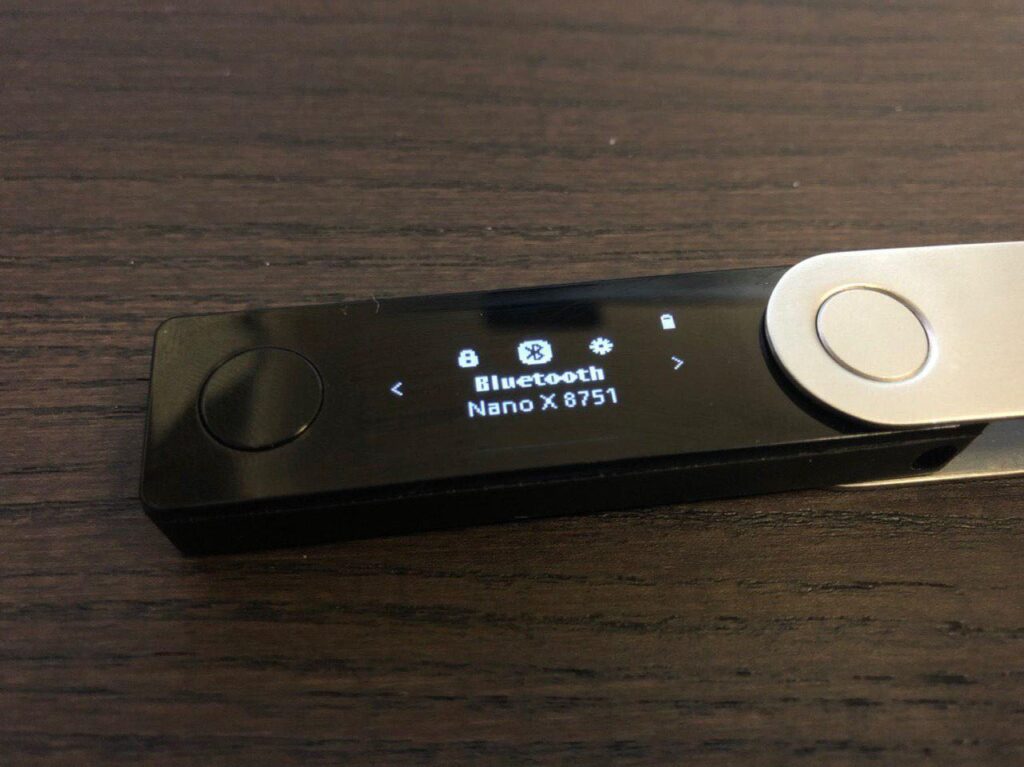
Bluetooth Support: Nano X connects wirelessly to smartphones via Bluetooth—no cables required.
Battery Life: Equipped with a 100mAh battery, it lasts several hours of active use or up to 3 months in standby mode.
Portfolio & Transactions
Portfolio Mode: View your crypto balances and performance even when the Nano X is not connected.
Secure Transactions: To send crypto, the Nano X must be present to sign transactions. Private keys never leave the device—only the signed transaction is transmitted.
App Management
Ledger Manager Integration: Install and manage crypto apps directly from the mobile app, similar to the desktop version2.
Firmware Updates: As of OS version 2.4.1, firmware updates are now supported via Bluetooth on Ledger Live Mobile—a major upgrade from earlier limitations.Buy, Swap & Stake
Buy Crypto: Purchase assets using third-party partners like MoonPay, Ramp, and PayPal.
Swap Crypto: Exchange assets directly in-app using services like ParaSwap and Changelly.
Stake Assets: Stake ETH, DOT, ATOM, and more—track rewards in the “Earn” section.“
NFT Management
NFT Viewer: View, send, and receive Ethereum and Polygon NFTs with full metadata support.
Security Managment
Secure Element Chip: CC EAL5+ certified for hardware-level protection.
End-to-End Encryption: Bluetooth communication is encrypted and requires physical confirmation on the device.
Biometric Unlock: Optional Face ID or fingerprint unlock for added app security.
Web3 & DeFi Access
WalletConnect Integration: Connect to dApps like Uniswap, Aave, and OpenSea directly from your phone.
How to Add or Remove Apps on the Ledger Nano X
Managing crypto apps on your Ledger Nano X is simple and secure using the Ledger Live app—available on Windows, macOS, Linux, Android, and iOS.
How to Install Apps
Open Ledger Live and navigate to My Ledger.
Connect and unlock your Nano X using your PIN.
Authorize Ledger Manager by confirming “Allow Ledger Manager” on your device.
Browse the App Catalog and click Install next to the desired cryptocurrency app.
You can install multiple apps at once.
If your list appears limited, update your device firmware first. As of July 2025, the latest version of Ledger Live is Desktop 2.120.1 and Mobile (iOS/Andriod): 3.86
Note that some apps (like Arbitrum or Optimism) require the Ethereum app to be installed first due to EVM dependencies.
How to Uninstall Apps
In My Ledger, locate the installed apps list.
Click the Trash icon next to any app to uninstall it.
You can remove multiple apps at once—confirm on your device to proceed.
Note that uninstalling apps does not affect your crypto assets. Your private keys remain securely stored on the device and backed up via your recovery phrase.
How to Update Apps
If updates are available, a notification bar will appear in My Ledger.
Click Update All to refresh your apps in one go.
App Storage Tips
The number of installable apps depends on:
Your device model (Nano X supports ~100 apps)
App sizes (some are larger than others)
Uninstall unused apps to free up space—your assets stay safe.
Is Bluetooth Safe?
Yes—Bluetooth is safe to use with the Ledger Nano X. Ledger has designed its Bluetooth functionality with security as a top priority, and the device’s architecture ensures that your private keys remain protected at all times. The previous model (Ledger Nano S) only had cable connectivity, which would not expose the device to nearby attackers. Bluetooth is safe to use in this case because the device is never controlled via Bluetooth – instead it is only used to send unsigned and signed transactions. This means the private key (the key to all the funds
Security Architecture
Private keys never leave the Secure Element chip, even during Bluetooth communication.
Bluetooth Low Energy (BLE) 5.0 is used solely as a transport layer for signed or unsigned transactions.
The Nano X assumes the BLE connection is compromised by default—no sensitive data is ever exposed.
End-to-End Encryption
All Bluetooth communication is end-to-end encrypted, protecting user privacy and preventing interception.
Even if BLE were compromised, attackers cannot extract private keys or force unauthorized transactions.
Physical Confirmation Required
Every transaction must be physically verified and approved on the device using its buttons.
The display and buttons are directly wired to the Secure Element, ensuring tamper-proof interaction.
Manual Control
Users can disable Bluetooth anytime via the Control Center by pressing both buttons.
When disabled, the Nano X functions via USB-C with Ledger Live desktop.
The Nano X operates with the assumption that the Bluetooth connection (which is a bearer, exactly like USB) is compromised. The addition of BLE doesn’t impact the security model. Transactions must always be physically verified on device by pressing both buttons. Moreover, on the Nano X screens and buttons are directly connected to the Secure Element (single chip architecture), which is also an enhancement of the general security design. (Valium)
Control Panel on Ledger Nano X allow Bluetooth to be turned On / Off
Keep your Recovery Phrase Safe!
Your 24-word recovery phrase is the master key to your crypto assets. It’s generated during device setup and stored only on paper—never digitally. If someone gains access to it, they can control your funds. If you lose it, recovery is impossible.
Write down your 24-word recovery phrase. The order of the words is also important.
After setting up the device, with it still plugged in, visit the Ledger Live website and download the app you want to use.
Follow the instructions on the site and use.
Note: after setting it up you will be navigating the device on your computer.
You can receive cryptocurrency even when the device is offline. It’s only when you want to send that you need to connect the device and enter your PIN and login.
After inputting all the transaction details on your computer, as an additional security measure, you can double check the details on the device. Make sure the address and amount are correct and confirm.
Best Practices for Storage
Write it down on the provided Recovery Sheet during setup.
Store it offline in a secure, private location—avoid cloud storage, photos, or digital backups.
Use fireproof and waterproof storage like metal seed plates for long-term protection.
Never share it with anyone, including Ledger support. Ledger will never ask for it.
What Not to Do
Don’t take a photo or screenshot of your recovery phrase.
Don’t enter it on any website, app, or computer.
Don’t store it in email, cloud drives, or password managers.
Recovery & Restoration
You can restore your Ledger Nano X, Nano S Plus, or Stax using your recovery phrase at any time.
Recovery is done entirely on the device—never on your phone or computer.
Ledger supports BIP39/BIP44 standard phrases, so you can restore wallets from other compatible devices too.
Ledger Recover (Optional)
Ledger offers an optional subscription service called Ledger Recover, which encrypts and splits your recovery phrase into secure fragments stored by trusted custodians.
This service is opt-in only and not enabled by default. Learn more on Ledger’s official Recover page.
If your recovery phrase is lost or compromised, Ledger cannot help you recover your assets. There is no backup stored by Ledger.
Why use a Hardware Wallet?
Here are some reasons why you could consider using a hardware wallet to store your cryptocurrencies:
Keeps Your Crypto Safe: Hardware wallets store your private keys offline. This protects them from hackers, viruses, and phishing attacks—even if your computer or phone is infected.
You’re in Control: If you use exchanges or online wallets, you are trusting someone else with your crypto. Hardware wallets let you hold your assets. No one else has access.
Physical Security: Transactions must be confirmed on the device, so no one can steal your crypto without having the wallet in hand.
Easy Recovery: If your device breaks or gets lost, you can recover everything with your secret recovery phrase. But make sure not to share or store it digitally.
Supports More Than Just Coins: These wallets work with Bitcoin, Ethereum, NFTs, DeFi apps, and digital IDs. They are a must-have tool for Web3.
Is the Ledger Nano X Worth the Upgrade?
The answer depends on what you need. If you want to manage your crypto on your phone or use Bluetooth, the Ledger Nano X is worth it.
The Nano X has more memory than the older Nano S model, which was retired. It can hold up to 100 apps for different cryptocurrencies. This is helpful if you use more than three types of crypto. The Nano S Plus also holds up to 100 apps, but it costs less. However, the Nano X has Bluetooth and a built-in battery, which the Nano S Plus does not.
With Bluetooth, you can connect the Nano X to your phone without using cables. The battery lasts for several hours of use or about three months in standby mode. This makes it easier to use the wallet on the go.
The Nano X works with iPhones and Android phones through the Ledger Live Mobile app. You can view your crypto portfolio anytime, but you need the device with you to send crypto. Your private keys never leave the device, so your funds stay safe.
The Nano X uses a secure chip to protect your information. It works with over 5,500 cryptocurrencies, NFTs, and Web3 apps. It also connects to wallets like MetaMask and Phantom.
One thing to think about is the battery. Some users say it becomes weaker over time. Also, Ledger offers a service called Ledger Recover that helps you recover your wallet if you lose your recovery phrase. Some people are worried about privacy when using that service.
If you want Bluetooth, mobile access, and more storage, the Nano X is a good option. But if you mostly use your desktop and want to save money, the Nano S Plus might work better for you.
Successfully set up your Ledger Nano X? Now it’s time to get started with trading Bitcoin and other cryptocurrencies! Check out my course created in collaboration with Jeff Kirdeikis of Uptrennd- Bitcademy: Learn, Invest & Trade Bitcoin – In Under an Hour