Author: Michael Gu

  • Nvidia Just Saved Bitcoin? What This Means For Crypto

    Nvidia Just Saved Bitcoin? What This Means For Crypto

    Nvidia is about to drop its Q4 FY2026 earnings on February 25th, and honestly, the entire market — crypto included — is holding its breath. With Bitcoin hovering around $67,000 and broader sentiment teetering between fear and cautious optimism, Nvidia’s results could be the catalyst that either sends crypto soaring or triggers another leg down. Let me break down why Nvidia might have just saved Bitcoin, and what this means for the crypto market going forward.

    Why Nvidia Matters to Bitcoin More Than You Think

    If you’re wondering why a chip company’s earnings report matters for Bitcoin, you’re not alone — but the connection runs deeper than most people realize. Nvidia has become the backbone of the AI revolution, and AI infrastructure is now deeply intertwined with the crypto ecosystem. Bitcoin miners have been pivoting hard into AI hosting, repurposing their data centers and energy contracts to serve AI workloads alongside traditional mining operations.

    This isn’t just a side hustle — it’s a fundamental shift. Companies that used to be pure Bitcoin mining plays are now marketing themselves as power-and-rackspace operators, pitching their cooling capacity and data-center footprints to AI customers. When Nvidia does well, it signals that AI demand is booming, which directly benefits these hybrid mining-AI companies and, by extension, the broader crypto market sentiment.

    The Nvidia-Bitcoin Correlation Is Real

    We’ve seen this play out before. Back in November 2025, Nvidia’s blockbuster earnings literally rescued Bitcoin from a downturn. The pattern is becoming predictable: Nvidia beats expectations, risk-on sentiment floods back into markets, and Bitcoin catches a bid. It’s not a coincidence — institutional investors increasingly view both Nvidia and Bitcoin as “risk-on” assets in the same macro bucket.

    Right now, Wall Street analysts are expecting Nvidia to crush earnings again. After twelve consecutive quarters of beats and shares up 35% over the past year, the momentum is undeniable. Goldman Sachs has maintained a Buy rating with a $250 price target, projecting 2027 revenue of $382.9 billion. If Nvidia delivers another blowout quarter, expect Bitcoin to ride that wave higher.

    The Rubin Platform Changes Everything

    Here’s where it gets really interesting. At CES earlier this year, Jensen Huang revealed that Nvidia’s next-generation Vera Rubin platform is already in full production. This thing is a beast — each server packs 72 GPUs and 36 CPUs, and they can be linked into massive “pods” containing over 1,000 chips. Huang claims Rubin can deliver five times the AI computing power of previous systems, with roughly 10x improvement in token generation efficiency.

    Why does this matter for crypto? Because the AI infrastructure buildout is creating enormous demand for exactly the kind of facilities that Bitcoin miners already operate. CoreWeave will be among the first to receive Rubin systems, with Microsoft, Oracle, Amazon, and Alphabet expected to follow. This tidal wave of AI spending flows directly through the same infrastructure pipeline that supports crypto mining operations.

    Bitcoin Miners Are Becoming AI Infrastructure Companies

    The smartest Bitcoin miners saw this coming. Instead of relying purely on mining margins — which can be brutal during down cycles — they’ve been repositioning as infrastructure providers. Hosting AI workloads generates steadier cash flows, especially for firms with cheap power, existing sites, and serious cooling capacity.

    But there’s a catch. The AI boom is also raising the bar significantly. Data-center space is becoming a premium asset, with the best sites getting bid up by hyperscalers, cloud firms, and AI startups. This can lift rents, equipment costs, and financing hurdles for smaller miners. As CoinDesk reported, miners that look like infrastructure companies may win in 2026, while those relying on pure mining margins face a much tougher road ahead.

    The $54 Billion Nvidia Gamble

    There’s also a geopolitical angle here that could impact crypto markets. China had been preparing to receive over 2 million H200 units in 2026, representing roughly $54 billion in gross chip value at the reported $27,000 per unit price point. Any disruption to these shipments — whether from export controls or supply chain issues — could trigger volatility across both tech stocks and crypto markets, since institutional portfolios increasingly hold both.

    Bitcoin is essentially trapped in this Nvidia-centric macro narrative. When Nvidia thrives, the “tech and innovation” trade thrives, and Bitcoin benefits as part of that basket. When there’s uncertainty around Nvidia, that fear bleeds into crypto too.

    What This Means for Crypto Investors

    So what should you actually do with this information? Here’s my take:

    First, pay close attention to Nvidia’s earnings call on February 25th. It’s not just about the numbers — listen for guidance on AI infrastructure spending, Rubin deployment timelines, and any commentary about data center demand. These are all leading indicators for the crypto infrastructure play.

    Second, watch the Bitcoin mining stocks. Companies like Marathon Digital, Riot Platforms, and Core Scientific that have successfully pivoted to hybrid mining-AI models could see outsized moves based on Nvidia’s results. If Nvidia signals continued AI demand growth, these stocks — and Bitcoin itself — could rally hard.

    Third, don’t ignore the broader macro picture. With “Bitcoin to zero” searches hitting record highs in the U.S. this month (historically a contrarian bottom signal), and retail anxiety elevated, a strong Nvidia earnings report could be exactly the catalyst needed to flip sentiment from fear back to greed.

    The Bottom Line

    The relationship between Nvidia and crypto has evolved far beyond GPU mining. We’re now in an era where Nvidia’s success directly fuels the AI infrastructure buildout that Bitcoin miners depend on, where institutional money flows between tech stocks and crypto based on the same risk-on/risk-off signals, and where a single earnings report from a chip company can move the entire crypto market.

    Did Nvidia just save Bitcoin? We’ll know for sure after February 25th. But the setup is there — twelve consecutive earnings beats, the Rubin platform in production, and a crypto market that’s been waiting for a catalyst. If Nvidia delivers, Bitcoin could be in for a very good week. And honestly, I’m cautiously optimistic. The convergence of AI and crypto isn’t slowing down — it’s accelerating. And Nvidia is right at the center of it all.

  • Tom Lee Reveals Why Crypto Is Dumping Right Now

    Tom Lee Reveals Why Crypto Is Dumping Right Now

    The crypto market has been absolutely brutal lately, and if you’ve been watching your portfolio bleed, you’re not alone. I came across this video from Tom Lee — the Fundstrat co-founder who’s been one of Wall Street’s most vocal Bitcoin bulls — and he breaks down exactly why crypto is dumping right now. Let me walk you through what he said and add some extra context I dug up.

    The Crypto Bloodbath in Numbers

    Before we get into Tom Lee’s take, let’s set the scene. Bitcoin has dropped over 50% from its all-time high of around $126,000 back in October 2025. In early February 2026, BTC briefly broke below $61,000 — a level that would have seemed unthinkable just a few months ago. And it’s not just Bitcoin. Ethereum pulled back over 33% in a single week, and Solana hit a two-year low around $88. According to CNBC, more than $2 billion in leveraged positions were liquidated in just one week. The total crypto market lost roughly $2 trillion in value during this sell-off, per Reuters.

    Tom Lee’s Explanation: Why Crypto Is Dumping

    So what does Tom Lee think is going on? In his view, this isn’t some random crash — it’s a structural reset. He’s been saying that 2026 would be “a year of two halves,” and the first half was always going to be rough. Here’s the core of his argument:

    The dump is largely driven by institutional repositioning. The same big players — hedge funds, ETF managers, corporate treasuries — that fueled the rally to $126K are now rebalancing their portfolios. CryptoQuant confirmed this in a recent report, noting that “institutional demand has reversed materially.” U.S. Bitcoin ETFs, which were once absorbing massive amounts of BTC, have seen significant outflows.

    Lee also points to de-leveraging as a major factor. He compared the current environment to the period after the FTX collapse, where forced liquidations create a cascading effect. When overleveraged traders get margin-called, their positions are automatically sold, which pushes prices lower, which triggers more liquidations. It’s a vicious cycle, and we’ve seen billions wiped out through this mechanism alone.

    The Macro Backdrop Making Things Worse

    It’s not just crypto-specific issues. The broader macro environment has been working against risk assets. A few key factors are piling on:

    U.S.-Iran tensions escalated sharply in late January and early February, sending shockwaves through global markets. When geopolitical risk spikes, investors tend to flee to safety — and despite the “digital gold” narrative, Bitcoin has been trading more like a tech stock than a safe haven.

    The surging U.S. dollar, partly driven by Kevin Warsh’s Fed nomination, has put pressure on all risk assets. A stronger dollar typically means weaker crypto prices, and this time has been no different.

    Tech stocks are selling off too. The State Street Technology Select Sector SPDR ETF (XLK) dropped for three straight days in early February. Bitcoin’s correlation with tech has been stubbornly high, so when Nasdaq bleeds, crypto bleeds harder.

    Deutsche Bank analyst Marion Laboure put it bluntly: “This steady selling signals that traditional investors are losing interest, and overall pessimism about crypto is growing.” Meanwhile, gold has surged 61% over the past year while Bitcoin is down nearly 40% in the same period. That’s a painful comparison for anyone who bought the “inflation hedge” thesis.

    But Tom Lee Is Still Bullish — Here’s Why

    Here’s where it gets interesting. Despite all the carnage, Tom Lee hasn’t turned bearish. Not even close. He sees this dump as the setup for what comes next. His thesis is that the first half of 2026 is a “strategic reset” — painful but necessary — and the second half will bring a massive rally.

    Lee has been calling for Bitcoin to hit $250,000, a target he reiterated in January 2026. His argument rests on a few pillars:

    First, he believes the traditional four-year Bitcoin cycle is breaking down. The common view is that 2026 should be a “down year” based on historical halving patterns. But Lee argues that because so many people are front-running this expectation by selling early, the cycle itself gets disrupted — potentially setting up a stronger-than-expected rebound. As 247 Wall St. reported, this cycle-breaking thesis is central to his $250K target.

    Second, Lee points to the “untapped market” thesis. Most investors still don’t own Bitcoin through their brokerage or retirement accounts. As access improves and regulatory clarity increases, he believes adoption could grow by “200 times” from current levels. That’s a bold claim, but it speaks to how early we still are in terms of mainstream financial integration.

    Third, he’s extremely bullish on Ethereum, calling it “dramatically undervalued.” His crypto mining firm Bitmine Immersion Technologies has been aggressively accumulating ETH, now holding over 4.14 million tokens. Lee compared ETH’s current position to Bitcoin’s 2017–2021 run and suggested it could appreciate 10x or more from here.

    Should You Be Worried or Buying?

    Look, I’m not going to sugarcoat it — Tom Lee’s track record on timing has been mixed. He predicted Bitcoin would hit $200K by end of 2025; it peaked at $126K. He called for $15,000 ETH; it topped out around $4,830. A leaked Fundstrat internal document even suggested Bitcoin could fall to $60,000 — which is almost exactly where we are now. So his directional calls tend to be right eventually, but his timelines are often too aggressive.

    That said, his framework for understanding why crypto is dumping makes a lot of sense. This isn’t a fundamental breakdown of the technology or the asset class. It’s a combination of institutional rebalancing, forced de-leveraging, macro headwinds, and a market that got ahead of itself. These are cyclical forces, not existential ones.

    The key level to watch right now is $60,000–$65,000 for Bitcoin. James Butterfill from CoinShares called $70K a “key psychological level,” and we’ve already broken below that. If $60K doesn’t hold, things could get uglier before they get better.

    The Bottom Line

    Tom Lee’s message is essentially this: yes, crypto is dumping, and it might dump more in the short term. But the reasons behind the sell-off are temporary — institutional repositioning, macro shocks, and cascading liquidations. He believes the second half of 2026 will be dramatically different, with Bitcoin potentially making a run toward new all-time highs.

    Whether you agree with his $250K target or not, understanding the mechanics of why we’re here is valuable. The market isn’t crashing because crypto is dead — it’s crashing because markets do what markets do. They overshoot on the way up and overshoot on the way down. If Lee is right about the cycle breaking, the current pain could be setting up one of the biggest buying opportunities we’ve seen in years.

    Stay safe out there, and don’t invest more than you can afford to lose. This is not financial advice — just my take on what Tom Lee is seeing and what the data is telling us.

  • Setting Up OpenClaw with Discord: A Complete Step-by-Step Guide

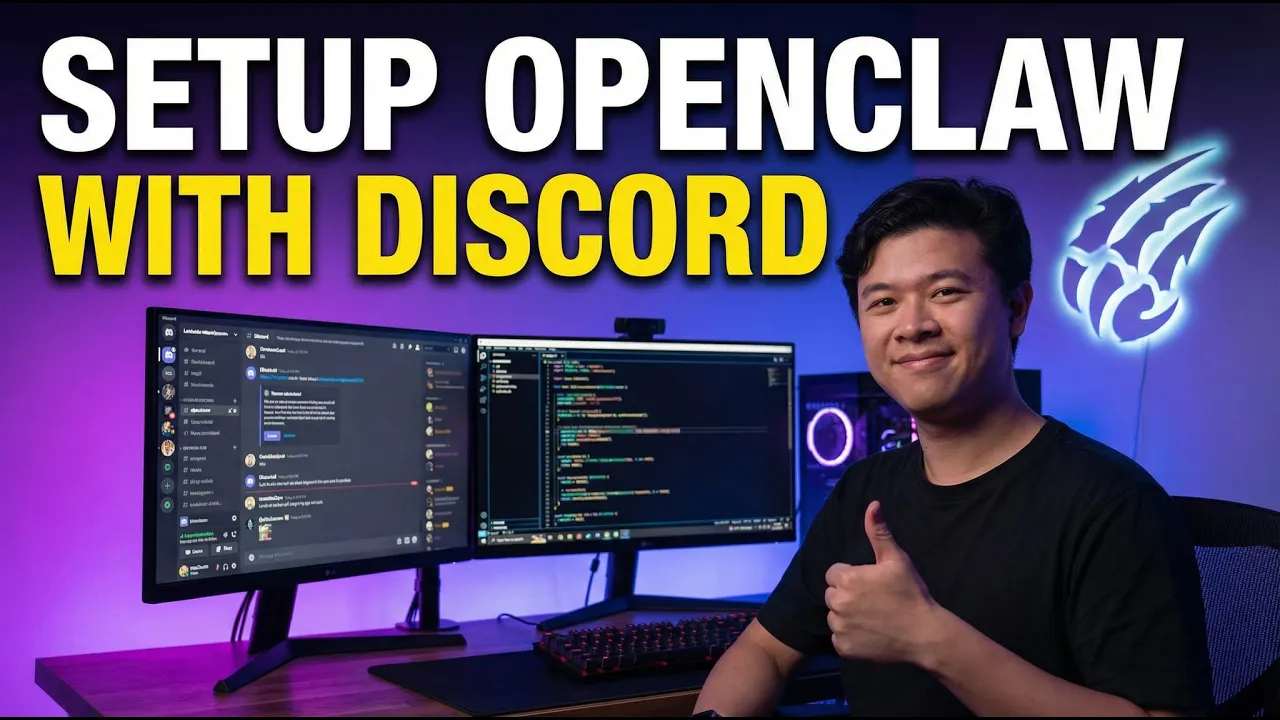
    Setting Up OpenClaw with Discord: A Complete Step-by-Step Guide

    If you’ve been tinkering with OpenClaw and wondering how to level up your workflow, connecting it to Discord is honestly the move. I’ve tried a bunch of different setups — terminal UI, Telegram, you name it — but Discord just hits different when it comes to organizing your AI agents. In this guide, I’ll walk you through the entire process step by step, based on what I’ve found works most reliably after setting up multiple bots over the past week.

    Why Discord Is the Best Interface for OpenClaw

    Here’s the thing about Discord that makes it perfect for AI agents: it’s structured. You can create dedicated channels for different bots and tasks, keeping everything clean, tidy, and neat. For example, I have an agent called “Stark” handling research and presentations in one channel, while another agent called “Banners” manages summarization tasks in a separate channel. Each bot stays in its lane, and nothing gets messy.

    What really sold me on this setup is the team collaboration angle. My team members can jump into Discord, interact with the bots directly, and we can all see what’s happening in real time. Discord threads let you spin up focused conversations — like a dedicated research task — without cluttering the main channel. It’s basically turning Discord into a full-blown AI command center.

    OpenClaw itself is an open-source AI agent framework that’s been gaining serious traction since its launch. Originally created by Austrian developer Peter Steinberger in late 2025, it’s quickly become one of the fastest-growing projects on GitHub. The framework is model-agnostic, meaning you can plug in Claude, GPT, MiniMax, or whatever model fits your budget and needs. It supports over 100 preconfigured AgentSkills for shell commands, file management, web automation, and more — all while keeping your data private since everything runs on your own infrastructure.

    Step 1: Create Your Discord Bot

    First things first, head over to the Discord Developer Portal and create a new application. Give it whatever name you want — I called mine “Bob” in the video because, well, why not. Upload a profile picture, add a description if you feel like it, and save your changes.

    Now here’s the important part: go to the Bot section and enable two critical intents — Server Members Intent and Message Content Intent. These permissions allow your bot to actually read messages and interact properly within your server. Don’t skip this step or your bot will just sit there doing nothing.

    Next, you’ll need to reset and copy your bot token. Treat this token like a password — if someone gets their hands on it, they can control your bot. Discord makes you go through a verification process with your passkey to generate a new token, which is a good security measure. Copy the token and keep it somewhere safe for the next step.

    Step 2: Configure OpenClaw

    Here’s a pro tip I learned the hard way: use the openclaw configure command instead of asking your agent to set up Discord for you. I tried the agent-based approach multiple times, and about three out of four attempts just blew up. The manual configuration method through the CLI is way more reliable.

    Run openclaw configure in your terminal, select the channels option, and choose Discord. It’ll prompt you for your bot token — paste it in using Ctrl+Shift+V on Windows. Then you’ll need your channel ID. If you don’t see the “Copy Channel ID” option when you right-click a channel in Discord, go to User Settings → Advanced and enable Developer Mode. This isn’t enabled by default, so most people miss it.

    Once you’ve pasted in the channel ID, confirm the pairing and you’re linked up. The whole configuration takes about two minutes once you know what you’re doing.

    Step 3: Restart the Gateway and Invite Your Bot

    After configuring, run openclaw gateway restart to activate the connection. This restarts the gateway service that handles communication between your OpenClaw agent and Discord. Without this step, nothing will work even if everything else is configured correctly.

    Now for the final piece: inviting the bot to your server. Back in the Discord Developer Portal, go to OAuth2 and check two boxes — Bot and Application Commands. For bot permissions, I just gave it Administrator access since it’s running on my private server. Select “Guild Install” if you’re adding it to your own server, then copy the generated URL and open it in your browser. Authorize the bot, prove you’re human, and you’ll see it pop up in your server’s member list.

    Post-Setup Tips That Actually Matter

    Once your bot is live, there are a few things worth tweaking. By default, the bot might only respond when you @mention it. You can configure it to reply to all messages in the channel, which makes the interaction feel much more natural — just talk to it and tell it to adjust its settings.

    One feature I use constantly is Discord threads. Instead of dumping everything into the main channel, I create a new thread for each task — like “Research Task” or “Content Draft” — and keep the conversation focused. This is especially useful when you’re running multiple agents or working with a team, because everyone can see exactly what each bot is working on without scrolling through a wall of messages.

    A word of advice from personal experience: don’t go overboard with the number of people and bots in your channels. It gets chaotic fast. Keep your setup focused and manageable, especially when you’re starting out.

    Troubleshooting: When Things Go Wrong

    Look, things will occasionally break. Your bot might stop responding, or the gateway might crash. The most common fix is simply running openclaw gateway restart again. If that doesn’t work, openclaw configure lets you re-do the channel setup from scratch. And if you really mess things up, openclaw onboard resets the entire configuration.

    The key takeaway here is to stick with manual configuration over letting the agent handle it. It’s more predictable and you’ll spend less time debugging weird failures. If you’re running into persistent issues, the OpenClaw Discord documentation covers common error scenarios and fixes.

    Final Thoughts

    Setting up OpenClaw with Discord has genuinely changed how I work with AI agents. The combination of Discord’s organized channel structure with OpenClaw’s powerful agent framework creates a workspace that’s both productive and easy to manage. Whether you’re a solo developer experimenting with AI or a team looking to integrate autonomous agents into your workflow, this setup is worth the 15 minutes it takes to get running.

    If you want to dive deeper into OpenClaw setups, check out our guide on setting up OpenClaw with MiniMax for a budget-friendly starting point. And if you want to connect with other OpenClaw users, join our Discord community for tips, troubleshooting, and discussions.

    For more beginner-friendly AI guides, subscribe to @BoxminingAI on YouTube. See you in the next one!

  • Setting Up OpenClaw with Discord: A Complete Step-by-Step Guide

    Setting Up OpenClaw with Discord: A Complete Step-by-Step Guide

    In the rapidly advancing world of AI agents and collaborative tools, integrating platforms like OpenClaw with Discord offers a powerful way to streamline team workflows and bot interactions. This article provides an in-depth, hands-on guide to this setup. Whether you’re a developer, AI enthusiast, or team leader looking to enhance collaboration, this article distills the key insights and steps from the video to help you get started seamlessly.

    Why Integrate OpenClaw with Discord?

    Discord stands out as an ideal platform for OpenClaw due to its structured environment, which keeps interactions “clean, tidy, and neat.” Unlike cluttered chat interfaces, Discord allows you to create dedicated channels for specific bots or tasks—for example, a “Stark” channel for research and presentations or a “Banners” channel for summarization. This setup facilitates both human-bot and bot-bot collaborations, making it easier to manage multiple AI agents without chaos.

    This integration turns Discord into a collaborative hub, where teams can assign tasks, monitor progress, and isolate discussions using threads. It’s particularly useful for users already familiar with AI tools like Claude AI, Grok AI, or Cursor AI, as it builds on similar concepts in prompt engineering and agentic workflows.

    Step-by-Step Setup Process

    While OpenClaw offers an agent-based setup option (via chat commands), we recommend the manual method for its higher reliability—noting that agent-driven attempts fail about 75% of the time.

    1. Create a Discord Application and Bot

    • Head to the Discord Developer Portal at discord.com/developers and create a new application.
    • Give your bot a name (e.g., “Bob”), upload an image, and add a brief description.
    • In the “Bot” section, enable key intents: “Server Intent” and “Message Content Intent.” These allow the bot to interact properly within servers.
    • Reset and copy the bot token—treat this as highly sensitive information and never share it.

    2. Configure OpenClaw

    • Launch OpenClaw and run the command openclaw configure.
    • Paste in your Discord bot token when prompted.
    • Specify the target Discord server and channel ID. To find these, enable Developer Mode in your Discord settings (under User Settings > Advanced), then right-click on the server or channel to copy the ID.
    • Confirm the pairing to link OpenClaw with Discord.

    3. Restart the OpenClaw Gateway

    • Execute openclaw gateway restart to activate the connection. This step ensures smooth communication between the AI agents and your Discord setup.

    4. Invite the Bot to Your Server

    • Back in the Discord Developer Portal, navigate to “OAuth2” > “URL Generator.”
    • Select scopes like “Application Commands” and “Bot,” and grant permissions (e.g., Administrator for simplicity, but use cautiously).
    • Choose “Guild Install” if it’s a private server.
    • Generate the URL, paste it into your browser, and authorize the bot to join your server.

    Once invited, the bot should appear in your server. Initially, it may only respond when mentioned (e.g. @Bob), but you can configure it to reply to all user messages for broader interaction.

    Post-Setup Tips and Best Practices

    After integration, optimize your setup for efficiency:

    • Use Threads for Focused Tasks: Start a new thread (e.g., “Research Task”) to keep bot interactions isolated and organized. This prevents channel clutter and makes it easier to track specific projects.
    • Team Management: Limit channel access to avoid overwhelming the space with too many users or bots. Discord’s structure shines in small, focused teams.
    • Security Emphasis: Always prioritize token security to prevent unauthorized access.
    • Customization: Adjust bot behavior in OpenClaw settings for reply preferences or additional features.

    In the video, we also touch on broader applications, such as using this setup for vibe coding, no-code AI development, or even Web3 AI projects, making it versatile for various workflows.

    Troubleshooting Common Issues

    If things go wrong—such as the bot not responding or gateway failures, stick to manual configuration over voice or agent commands for stability. If you’re new to this, spending time in Developer Mode will make IDs and permissions easier to handle.

    Tools and Models Mentioned

    • OpenClaw: The core AI agent framework, praised for its configurability.
    • Discord Developer Portal and OAuth2: Essential for bot creation and permissions.
    • Related ecosystems: Mentions of Claude AI, Grok AI, and tools like Minimax or GLM-5 for complementary AI tasks.

    Final Thoughts: Is This Setup Right for You?

    This integration transforms Discord from a simple chat app into a robust platform for AI-driven collaboration, ideal for developers experimenting with agent swarms or teams handling complex projects. While the initial setup requires some technical know-how, the payoff in organization and efficiency is significant. As AI tools continue to evolve—think o1 models or advanced prompt engineering—this guide positions you to stay ahead.

    This article captures the essence for quick reference. For the full walkthrough, including screen shares and demos, watch our video on YouTube!

  • KimiClaw Review: Is It Worth the Hype and the Price?

    KimiClaw Review: Is It Worth the Hype and the Price?

    In the ever-evolving landscape of AI tools, KimiClaw has emerged as a hosted version of the popular OpenClaw platform, promising seamless integration and ease of use. Released on February 18, 2026, this article provides hands-on insights into KimiClaw’s deployment, performance, and comparisons to alternatives. Here’s a comprehensive breakdown based on the analysis.

    What is KimiClaw? A Quick Introduction

    KimiClaw is essentially OpenClaw hosted on Kimi’s servers, accessible directly from the Kimi dashboard. The setup is remarkably simple—one-click deployment makes it appealing for beginners looking to get started quickly without dealing with complex installations. The reviewer, who upgraded to the $39 per month plan specifically for testing, highlights this ease of use as a initial positive. However, the excitement fades as deeper evaluation reveals significant shortcomings.

    This tool is positioned within the broader ecosystem of AI models like Claude AI, Grok AI, Cursor AI, and the o1 model, but KimiClaw aims to stand out by leveraging Kimi’s infrastructure. Tags from the video also nod to related topics such as vibe coding, prompt engineering, and Web3 AI, indicating its potential applications in coding workflows and no-code AI development.

    Key Criticisms: Where KimiClaw Falls Short

    The review doesn’t hold back on the drawbacks, painting a picture of a product that feels underdeveloped and overpriced:

    • Missing Integrations and Features: Users might expect KimiClaw to incorporate Kimi’s unique capabilities, such as the “nano banana unlimited slide generation” for AI-powered presentations. Unfortunately, these features remain isolated and inaccessible within KimiClaw, limiting its utility.
    • Server Location Issues: Hosted in mainland China, the servers introduce potential hurdles for global users. Services may be blocked in certain regions, and latency or data compliance concerns could arise, making it less ideal for international projects.
    • Outdated Software: KimiClaw runs on OpenClaw version 2.13, which lags behind the latest releases. This means users miss out on recent improvements and optimizations available in newer versions.
    • Inadequate Memory Setup: A major flaw is the lack of proper memory configuration, including vector embeddings for better context retention and search. The reviewer references a prior video on enhancing AI agents with vector embeddings and OpenAI keys, emphasizing how this omission hampers performance.

    Overall, the hosted version is described as “basic” and lacking the depth of a self-managed setup. For those handling AI coding, experiments, or crypto-related tasks, these limitations could be deal-breakers.

    Cost Analysis: $39/Month vs. Alternatives

    At $39 per month, KimiClaw’s pricing comes under fire for not delivering commensurate value. The reviewer argues that the cost is unjustified given the stripped-down features and backend opacity. Instead, they strongly advocate for self-hosting OpenClaw on a budget-friendly VPS for as little as $2 per month. This approach offers full control, access to the latest versions, and transparency over processes—benefits that far outweigh the convenience of Kimi’s hosting.

    For users already on Kimi’s “Allegretto” plan (which includes generous free usage allowances), the best strategy is linking an external OpenClaw instance via API key rather than relying on the built-in KimiClaw. This hybrid setup maximizes Kimi’s powerful model without the extra expense.

    Recommendations and Better Options

    The verdict is clear: Skip the upgrade and save your money. Here’s the key advice from the review:

    • Learn Self-Hosting: Invest about 30 minutes in following a installation guide (linked in the video) to set up OpenClaw yourself. It’s empowering and unlocks more features without proprietary restrictions.
    • Explore Alternatives: The video teases upcoming comparisons with models like Minimax (noted as the cheapest option at version 2.5) and GLM-5. Other tagged tools such as Claude AI and Grok AI are suggested for those seeking robust AI for coding and workflows.
    • Community Feedback: As a new channel, BoxminingAI encourages comments and suggestions, hinting at future content on testing these alternatives for OpenClaw compatibility.

    The reviewer expresses hope that Kimi will address issues like server location and feature integration in future updates, but for now, custom setups reign supreme.

    Final Thoughts: Proceed with Caution

    KimiClaw’s one-button simplicity is tempting, but its limitations make it a poor choice for serious users. In a market flooded with AI innovations—from vibe coding tutorials to advanced prompt engineering—this tool doesn’t quite measure up. If you’re dipping your toes into AI for beginners or exploring AI crypto and Web3 applications, start with free or low-cost alternatives and build from there.

    For the full hands-on demo and timestamps, watch our video on YouTube. What are your experiences with hosted AI tools? Drop your thoughts below!

  • Top AI Models in February 2026: A Comprehensive Overview

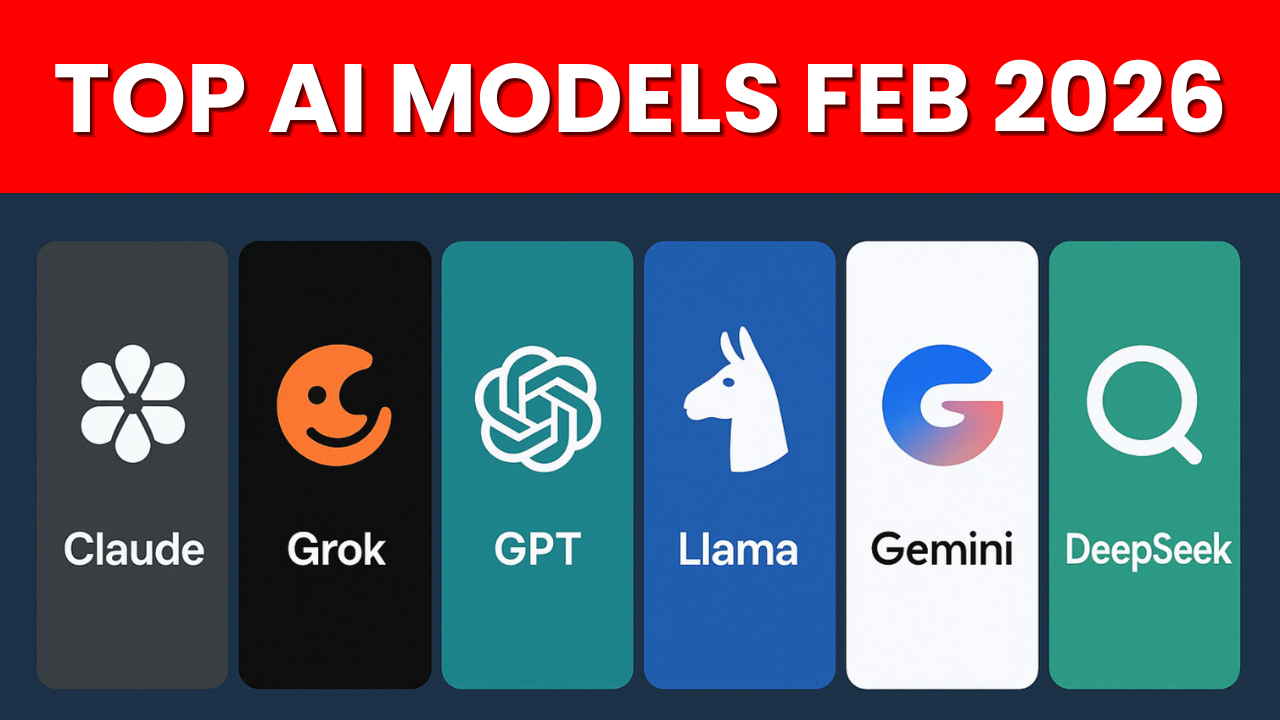
    Top AI Models in February 2026: A Comprehensive Overview

    In the fast-paced world of artificial intelligence, February 2026 has proven to be an exceptionally dynamic month. With major releases like Grok 4.20 and Sonnet 4.6 hitting the scene right after this analysis was recorded, it’s clear we’re living in an era of rapid innovation. Drawing from extensive hands-on testing, this article breaks down the leading AI models from both the US and China, highlighting their strengths, costs, and practical recommendations for users ranging from beginners to advanced developers.

    US-Based AI Models: Powerhouses with a Price Tag

    The United States continues to dominate in high-end AI capabilities, particularly in coding and complex problem-solving. Here’s a closer look at the standout models:

    • Opus 4.6 by Anthropic: Often hailed as a “coding juggernaut,” Opus excels in programming tasks. Its chatty, explanatory style makes it ideal for beginners who need step-by-step guidance. For larger projects, such as building dashboards or resolving major bugs, it’s unmatched in efficiency and reliability. However, this comes at a steep cost—users can easily spend $200 per day on intensive usage, with pricing around $5 per million tokens. If you’re handling sensitive data or mission-critical work, Opus’s superior intelligence justifies the expense. youtu.be
    • GPT 5.3 Codeex by OpenAI: This model shines in streamlined coding workflows, especially when paired with OpenAI’s client tools. Unlike Opus, it focuses on getting the job done with minimal chit-chat, making it a go-to for efficient task completion. It’s a strong contender for developers who prioritize speed over verbosity.
    • Google Gemini: While Google is pushing boundaries with its new “thinking model,” it hasn’t gained much traction among coders. The consensus is that it’s playing catch-up, often overshadowed by Opus and GPT in practical applications.
    • Grok: Integrated seamlessly with X (formerly Twitter), Grok is a daily essential for staying updated on real-time news. However, it falls short in coding prowess compared to its peers.

    These US models represent the pinnacle of AI performance, but their high costs can be prohibitive for casual or budget-conscious users.

    Chinese AI Models: Affordable Alternatives Closing the Gap

    China’s AI landscape is exploding with cost-effective options that deliver near-top-tier performance. These models are particularly appealing for their “dirt cheap” pricing and generous usage limits, making them accessible for a broader audience.

    • Minimax: This is a top recommendation for its unbeatable value in coding tasks. At just $20 per month, the coding plan provides 300 prompts every five hours—plenty for agentic workflows without the fear of overuse. Performing at about 95% of Opus’s level, it’s more than sufficient for most users. One caveat: it handles contexts up to 120K tokens well but may degrade beyond that, similar to older models like ChatGPT 3.5. youtu.be
    • Kimmy: Featuring an innovative “agent swarm” for collaborative task handling, Kimmy offers powerful capabilities. However, its $40 monthly plan makes it less cost-effective for long-term use. It’s worth trying for a month to explore its features before potentially switching to more economical alternatives.
    • GLM5: Alongside Minimax, GLM5 is highlighted as a solid choice for those diving into AI learning and development.

    Chinese models are narrowing the performance gap with US counterparts, offering substantial savings without sacrificing much in quality. For everyday projects, they’re often “more than good enough.”

    Other Notable Tools and Broader Insights

    Beyond the big players, several other options deserve mention:

    • Local Llama: Running on personal hardware, this model delivers around 80% of top-model performance at zero additional cost. It’s a favorite for users dodging subscription fees.
    • Open Router: A versatile platform for experimenting with various models and plans, emphasizing cost efficiency.
    • Deep Seek: Once a market disruptor, it’s no longer at the forefront.

    The rapid evolution of AI, especially around events like Chinese New Year, underscores the need for flexibility. Avoid locking into one ecosystem—switching models frequently allows you to leverage emerging capabilities. For critical tasks involving passwords or user data, weigh the costs carefully and opt for proven reliability like Opus.

    Final Thoughts: Navigating the AI Boom

    As AI continues to advance at breakneck speed, choosing the right model boils down to your needs, budget, and risk tolerance. For high-stakes work, invest in US models like Opus. For value-driven alternatives, turn to Chinese options like Minimax. Whether you’re a coder building the next big project or just exploring AI, tools like these make it an exciting time to be involved.

    For the full discussion, check out our video on YouTube. What are your thoughts on these models? Share your experiences and suggestions for future topics!

  • 5 Must Know TIPS Before You Use OpenClaw

    5 Must Know TIPS Before You Use OpenClaw

    OpenClaw has become a go-to tool for building collaborative AI systems that handle everything from research to automation. But like any powerful tech, it requires some fine-tuning to perform at its best. In this article, I share five practical tips to optimize your OpenClaw setup, drawing from real-world experience with crashes, memory issues, and cost management. Whether you’re new to agents or a seasoned builder, these tweaks can save you time, money, and headaches.

    We also have a full video guide if you need visual assistance.

    Tip 1: Activate Memory and Embeddings for Persistent Context

    One of the biggest pitfalls with OpenClaw agents is their tendency to “forget” important details between sessions. Without proper memory setup, your agents start fresh every time, losing track of projects, API keys, or passwords.

    The fix? Ensure embeddings are enabled by integrating an OpenAI or OpenRouter key. This allows agents to retain context over time. In the video, I demonstrate how to test this: Simply ask your agent, “Are embeddings working?” If not, add the key and verify. Pro tip: Monitor your OpenAI dashboard for embedding usage to confirm it’s active. This simple step prevents repetitive queries and keeps your workflows smooth—essential for long-term tasks like ongoing research or bot maintenance.

    Tip 2: Leverage Multiple Agents and Threads for Organized Workflows

    Cluttered agent interactions can lead to irrelevant responses and lost efficiency. The solution is to scale with multiple agents and dedicated threads.

    Create new threads for specific topics, inviting agents to join as needed. This keeps discussions focused—e.g., one thread for coding, another for research. I showcased building a custom dashboard within OpenClaw to track activities: It displays what each agent is handling, highlights gaps, and provides real-time visibility. This not only tidies up your setup but also boosts relevance, making complex multi-agent swarms feel manageable. If you’re running Discord bots like I do, this organization is a game-changer for scalability.

    Tip 3: Quick Recovery from Crashes and Configuration Errors

    Agent crashes are inevitable, especially after tweaking settings or updating files. But you don’t need to restart from scratch—let the agent fix itself!

    Navigate to your OpenClaw directory and instruct the agent to “study the folder and resolve errors.” In my demo, this resolved a Discord connection issue by leveraging the agent’s knowledge of its own codebase. It’s like having a self-healing system: The agent identifies problems (e.g., misconfigured APIs) and applies fixes on the fly. This tip saves hours of debugging, particularly for non-coders, and keeps your workflows uninterrupted.

    Tip 4: Fine-Tune Heartbeat Intervals for Proactivity Without Breaking the Bank

    Heartbeats are OpenClaw’s way of keeping agents alive and responsive, pinging the AI model periodically (default: every 30 minutes) to check status or trigger actions like reminders.

    While useful for time-sensitive tasks, they can rack up costs—especially with premium models. The key is tuning: Instruct your agent to adjust the interval to something longer, like one hour, via simple commands. Monitor usage on platforms like OpenRouter to balance proactivity and expenses. In the video, I explain how this prevents unnecessary token burn while ensuring agents stay engaged for critical ops, like market alerts in crypto setups.

    Tip 5: Secure Secrets Management with .env Files

    Handling sensitive data like passwords or API keys is tricky—agents often delete them from notes for security reasons, leading to repeated failures.

    Shift to .env files, a standard coding practice. Store credentials there (e.g., not in GitHub uploads) and instruct your agent to reference them. This enhances reliability without exposure risks. My demo shows how this prevents agents from “forgetting” secrets mid-task, making your setup more robust for real-world applications like automated trading or data scraping.

    Conclusion: Level Up Your Agentic Game Today

    These five tips—memory activation, multi-agent organization, crash recovery, heartbeat tuning, and secure secrets—transform OpenClaw from a basic tool into a powerhouse for agentic workflows. They’re born from hands-on testing in my own systems, helping you avoid common traps and unlock efficiency.

    If you’re building AI agents, try these out and see the difference. For more deep dives, check the full video. Join our Discord community at https://discord.com/invite/boxtrading to share your OpenClaw setups, troubleshoot together, or collaborate on bots.

    Follow me on X at @boxmining or subscribe to the BoxminingAI Youtube channel for the latest AI tips and reviews. Let’s push the boundaries of what’s possible with agents—see you in the next one!

  • OpenClaw Acquired by OpenAI: A Game-Changer for Agentic Workflows?

    OpenClaw Acquired by OpenAI: A Game-Changer for Agentic Workflows?

    In a surprising move that’s shaking up the AI landscape, OpenAI has acquired OpenClaw, the innovative agent-building tool created by Peter Steinberg. Confirmed by OpenAI CEO Sam Altman himself, this acquisition brings Steinberg into the OpenAI fold while ensuring OpenClaw remains an open-source project under a dedicated foundation. If you’re into AI agents, workflows, or just the latest tech drama, this is big news.

    Drawing from my recent video breakdown, let’s unpack what happened, why it matters, and what could come next for users like us building multi-agent systems.

    The Acquisition Breakdown: From Side Project to OpenAI Powerhouse

    OpenClaw started as a humble side project by Peter Steinberg, initially called Cloudbot and built around Anthropic’s Claude model. Funded entirely out of Steinberg’s pocket (thanks to his previous success selling a PDF company for over $100 million), it quickly gained traction for its ability to create swarms of AI agents that handle complex tasks collaboratively.

    The acquisition was announced via posts from both Altman and Steinberg. Key details:

    • Steinberg Joins OpenAI: He’s stepping in to “bring agents to everyone,” leveraging his expertise to supercharge OpenAI’s agentic capabilities.
    • OpenClaw’s Future: It won’t vanish—it’s staying open-source under an MIT license, with OpenAI committing to support a foundation that keeps the project alive and evolving.
    • No “Purchase” Per Se: As an open-source tool, this is more of a talent acquisition than buying IP, but it’s a clear signal of OpenAI’s investment in agent tech.

    Why OpenAI over Anthropic? That’s the million-dollar question (or perhaps more, given Steinberg’s track record). Despite OpenClaw’s roots in Claude, Steinberg chose OpenAI—maybe for their resources, vision, or something else. Either way, it’s a bold pivot that’s got the AI community buzzing.

    Why OpenClaw Blew Up and What It Means for Everyday Users

    OpenClaw exploded in popularity because it democratizes agent creation. In my own setup, my team uses it daily for everything from research to automation on our Discord bots. It’s model-agnostic, meaning it works with any AI backend, which is why the acquisition doesn’t spell immediate doom or drastic changes.

    For users:

    • Minimal Disruption: Continue using OpenClaw as before—no forced migrations or feature cuts.
    • Potential Upgrades: With Steinberg on board, expect tweaks optimized for OpenAI models like the rumored GPT-5.3 or Codex. This could mean faster, smarter agents without extra effort on your end.
    • Agentic Workflow Boost: If you’re building swarms for tasks like content generation or data analysis, this could lead to more robust features, making tools like my multi-agent Discord system even more powerful.

    In the video, I shared how we’ve integrated OpenClaw seamlessly—it’s not tied to one provider, so the shift feels more like an enhancement than a overhaul.

    What OpenAI Might Build Next: Speculations and Opportunities

    Looking ahead, OpenAI’s move screams strategy. They’re doubling down on agents, which aligns with their push toward more autonomous AI systems. Possible outcomes:

    • Integrated Features: OpenClaw could get native support for OpenAI’s ecosystem, like better integration with GPT models or enhanced tool-calling.
    • Broader Agentic Tools: Imagine OpenClaw evolving into a cornerstone for OpenAI’s agent frameworks, rivaling or surpassing competitors like Anthropic’s offerings.
    • Community Impact: As an open-source project, contributions could skyrocket with OpenAI’s backing, leading to innovations in areas like multi-agent collaboration or real-time workflows.

    I speculate the deal involved a hefty sum—Steinberg’s no stranger to big exits—but the real value is in accelerating AI agent tech. For us builders, this means access to cutting-edge tools without starting from scratch.

    Closing Thoughts: Congrats to Steinberg and What’s Next

    Huge props to Peter Steinberg for turning a side hustle into an OpenAI acquisition. It’s inspiring for anyone tinkering with AI projects. As for OpenClaw, it’s business as usual with exciting potential on the horizon. I’ll keep using it in my setups and update you on any changes.

    If this piques your interest, check out my video for the full rundown, including live reactions. Stay tuned for my next one on setting up advanced Discord bots with agents. Join our Discord community at https://discord.com/invite/boxtrading to discuss this acquisition, share your OpenClaw tips, or collaborate on AI builds.

    Follow me on X at @boxmining or subscribe to the BoxminingAI Youtube channel for more AI insights. Let’s see how this unfolds—agents are the future!

  • KimiClaw Review: Easy Setup but Is It Worth the $40?

    KimiClaw Review: Easy Setup but Is It Worth the $40?

    Kimi has introduced KimiClaw—a hosted version of OpenClaw powered by their Kimi 2.5 model. Promising seamless agent swarm capabilities for research and automation, it sounds like a dream for AI enthusiasts. But does it deliver? In this article, based on my latest video walkthrough, I’ll break down the quick setup process, run through live tests, highlight the limitations (including no X access and timeouts), discuss data privacy concerns, and compare it to cheaper alternatives.

    We also have a full video guide if you need visual assistance.

    Quick Setup: Launch in Under a Minute

    Getting started with KimiClaw is refreshingly straightforward, especially if you’re already in the Kimi ecosystem. It’s exclusively available on the Allegro plan, which costs $40 per month and unlocks the Kimi 2.5 model, agent swarms, and a 5x quota boost.

    Here’s the step-by-step from my demo:

    • Head to the Kimi dashboard.
    • Click to create or launch a KimiClaw instance—it’s that simple.
    • No need for local installs, server configs, or troubleshooting; everything is hosted.
    • Manage or delete instances with ease.

    In my video, I showed this taking less than a minute. It’s perfect for beginners who want to skip the technical hurdles of setting up OpenClaw locally. However, this convenience comes at a premium—more on that later.

    Live Tests: Agent Swarm in Action

    To put KimiClaw to the test, I ran a live agent swarm demo investigating a timely topic: “OpenAI’s acquisition of OpenClaw.” The swarm handled web searches and summarized key findings effectively, showcasing its potential for collaborative AI tasks like research or batch processing.

    Key highlights from the test:

    • Strengths: Solid web search integration and long-context handling. The agents coordinated well for basic queries.
    • Weaknesses: It timed out on more complex operations, exhibited basic behavior without advanced tweaks, and crucially, had no access to X (formerly Twitter). This is a big miss for real-time social media insights or trend analysis.

    I also checked for additional features, but found no full server or terminal control—limiting deep customization. Overall, it’s functional for entry-level agent swarms but doesn’t push boundaries.

    Limitations and Trust Issues: The Red Flags

    While the setup is a breeze, KimiClaw isn’t without flaws. Here’s what stood out in my evaluation:

    • No X Access: Can’t fetch posts or trends, which hampers tasks needing social data.
    • Timeouts and Basic Functionality: Extended runs often fail, and it lacks the sophistication of fully customizable setups.
    • No Full Control: You’re locked into Kimi’s hosted environment—no terminal access for mods.
    • Data Privacy Concerns: As a Chinese company (Moonshot AI), servers are hosted in China. This raises questions about data logging, retention, and potential monitoring. I advise caution if handling sensitive info.

    These aren’t deal-breakers for casual use, but they’re significant for power users. I spent the $40 to test it thoroughly—so you don’t have to!

    Alternatives: Better Value with Self-Hosting

    Why pay $40/month when you can get similar (or better) functionality cheaper? I compared KimiClaw to self-hosted options:

    • OpenClaw on Zebar: Set up for around $2/month. Full control, no subscriptions, and easy integration.
    • OpenRouter for Kimi Model: Access Kimi 2.5 directly at ~$0.50 per million input tokens and $2 per million output tokens. Pair it with your own OpenClaw for flexibility without the lock-in.

    These alternatives offer more customization, lower costs, and better privacy. If you’re not tied to Kimi’s dashboard, they’re the way to go. In my video, I emphasized that KimiClaw is “mid”—convenient for Allegro subscribers needing quick agent swarms, but overpriced otherwise.

    Conclusion: Convenience vs. Cost—You Decide

    KimiClaw shines in simplicity and integration for Kimi users, making agentic workflows accessible without setup headaches. However, its limitations in access, control, and privacy, combined with the $40 price tag, make it a tough sell compared to affordable self-hosted setups. If you’re deep in the Kimi ecosystem and value ease over everything, give it a shot. Otherwise, explore the alternatives for better bang for your buck.

    Tested it honestly in my video to cut through the hype—check it out for the full demo. Join our Discord community at https://discord.com/invite/boxtrading to discuss AI tools, share setups, and collaborate on agent swarms.

    Follow me on X at @boxmining or subscribe to the BoxminingAI Youtube channel for more no-BS reviews. Let’s optimize our AI game—see you in the next one!

  • You NEED to Update Your AI Agent with Cloudflare MarkDown Feature

    You NEED to Update Your AI Agent with Cloudflare MarkDown Feature

    Cloudflare has just rolled out a groundbreaking feature that converts web pages directly into Markdown format, slashing token usage for AI agents by up to 80% (and in some tests, even 94%). In this article, we’ll break down what this means, how to implement it on your bots, the real-world benefits, and why it’s a must-upgrade for anyone building AI systems.

    Drawing from my recent video demo, let’s explore how this could transform your setup.

    What is Cloudflare’s Markdown Conversion Feature?

    Cloudflare, a leader in web infrastructure, introduced this new tool to streamline how AI agents interact with websites. Traditionally, when an AI bot browses a page, it fetches bloated HTML full of scripts, ads, and unnecessary elements. This inflates the token count—those precious units that determine your API costs with models like GPT or Minimax.

    The Markdown feature acts as a smart filter: It strips away the junk and delivers clean, readable Markdown text. Think of it as a built-in summarizer that preserves the core content while ditching the overhead. To enable it, website owners simply toggle a setting in their Cloudflare dashboard. Once activated, any AI agent can append ?markdown to the URL (e.g., https://example.com/page?markdown) to get the optimized version.

    Not all sites support it yet—adoption depends on site admins—but major players like Anthropic, OpenAI, Vercel, GitHub, CoinDesk, TechCrunch, The Verge, and Hugging Face are prime candidates, as many already use Cloudflare. If you’re running a site, enabling this is a quick win to make your content more AI-friendly.

    Implementing the Feature on Your Bots: A Step-by-Step Demo

    In my video, I walked through a real-time implementation on my multi-agent Discord bot setup. It’s straightforward and takes just minutes:

    • Identify Compatible Sites: Start by checking if a site is on Cloudflare (tools like WHOIS or simply trying the ?markdown parameter can confirm).
    • Update Your Agent Code: In your bot’s web-fetching logic, modify the URL to include ?markdown. For example, in Python with libraries like requests:
      import requests
      response = requests.get("https://example.com/article?markdown")
      markdown_content = response.text

      This pulls the slimmed-down version directly.

      • Integrate into Workflows: Assign this to your AI agents for tasks like research or summarization. In my setup, agents like “Stark” (powered by Opus) delegate web browsing to cheaper models, now with even lower token burn.
      • Test for Savings: I demonstrated fetching a page both ways—HTML vs. Markdown—and saw a 94% reduction in content size. That translates to fewer tokens processed, meaning faster responses and lower bills.

        This isn’t just theoretical; I showed it live on sites that have enabled the feature. If you’re using frameworks like LangChain or custom Discord bots, plugging this in is seamless.

        Pro tip: Combine it with models that handle Markdown natively for even better results.

        The Benefits: Massive Cost Savings and Efficiency Gains

        Why bother? Let’s talk numbers. Running AI agents isn’t cheap—my daily token spend can hit hundreds of dollars on complex tasks. Cloudflare claims an 80% reduction, but my tests pushed it to 94% on dense pages. Here’s a quick breakdown:

        • Token Efficiency: Less input data means fewer tokens billed. For a model charging $1-75 per million tokens (depending on the provider), this adds up fast.
        • Speed Improvements: Smaller payloads process quicker, reducing latency in agentic flows like real-time research or automated reporting.

        Cost Breakdown Example:

        MetricHTML FetchMarkdown FetchSavings
        Content Size100KB6KB94%
        Tokens Used~75,000~4,50094%
        Cost (at $10/M)$0.75$0.045$0.705

        Even tools like OpenAI’s built-in web fetch convert to Markdown, but Cloudflare’s version is more optimized and site-controlled.

        The feature shines in agentic setups where bots chain tasks: Browse a page, summarize, then act. By cutting fluff early, you avoid cascading inefficiencies. It’s especially useful for crypto news aggregation (e.g., CoinDesk) or tech updates (TechCrunch), where timely, clean data is key.

        Potential Drawbacks and the Road Ahead

        It’s not universal yet—only Cloudflare-hosted sites can enable it, and propagation might take time. If a site hasn’t toggled it on, you’ll fall back to full HTML. Also, while great for text-heavy pages, it might not handle dynamic content perfectly. But as adoption grows (and I predict it will, given the AI boom), this becomes a standard.

        Encourage site owners you follow to enable it—it’s free and boosts AI compatibility.

        Conclusion: Upgrade Now and Slash Your AI Costs

        Cloudflare’s Markdown feature is a simple yet powerful upgrade for any AI bot builder. It turns web browsing from a token hog into an efficient powerhouse, saving you time and money while boosting performance. If you’re like me, juggling agents on Discord for crypto analysis, coding, or research, this is a no-brainer.

        Try it out: Append ?markdown to a compatible URL and see the difference.

        Join our Discord community at https://discord.com/invite/boxtrading to collaborate on bots and AI tweaks.

        Follow me on X at @boxmining or subscribe to the BoxminingAI Youtube channel for more demos. Let’s optimize the future—one Markdown page at a time!